The Lazy Trader's Guide to Polymarket: Set Alerts and Walk Away
Here is something the trading content industry will never admit: most of the best trades come from people who were not watching.
The traders who quietly compound on Polymarket are almost never the ones glued to a chart at 2 a.m. They are the ones who decided last Tuesday that they would buy "Yes" at 38� if it ever got there, set an alert, and then went to dinner. When the price hit, their phone buzzed. They tapped twice. They went back to dinner.
This is the lazy trader's edge, and it is criminally underrated. You do not need more screen time. You need fewer, better-prepared decisions, with a system that tells you when one of them is finally on the table.
This guide walks through exactly how to do that on Polymarket using PolyAlertHub. Pick a market, set a price you would actually pay, walk away, and let the alert do the work.
What You Will Learn
- Why "casual" trading often beats active trading on Polymarket
- How to pick markets worth setting alerts on
- The exact way to set up a price alert in PolyAlertHub
- How to choose price levels that are realistic, not wishful
- How to combine alerts with whale tracking for an even lazier edge
The Case for Doing Less
Active trading on Polymarket has a hidden tax: attention.
Every minute you spend refreshing a market is a minute you could have spent doing literally anything else. And the kicker is that more attention does not produce better trades. It produces more trades. Most of which are reactions to noise.
Markets do not reward presence. They reward patience. A 12� shift on a sleepy political market over three days is not something you need to "manage." It is something you need to be ready for when it happens, then ignore the rest of the time.
That is what alerts are for. They turn waiting into a system instead of a habit.
Step 1: Pick a Market You Would Actually Hold
Lazy trading does not mean random trading. The whole approach falls apart if you set alerts on markets you do not understand.
Start by picking 3 to 5 markets you already follow in normal life:
- An election you read about anyway
- A sports outcome in a league you watch
- A crypto or macro question you have an opinion on
- A pop culture event you cannot help paying attention to
These are markets where you have a "free" information edge: you would be absorbing the news whether you traded or not. That is exactly the kind of market the lazy approach is built for.
You can browse and filter by category, volume, and liquidity on the PolyAlertHub Markets page. Sort by liquidity, not just volume. A market you cannot exit cleanly is not a market you want to be lazy in.
Step 2: Decide Your Price Before You Set Anything
This is the part most people skip, and it is the most important part.
Before setting any alert, write down two numbers:
- Your buy price. The level at which you would actually take a position with real money.
- Your sell price. The level at which you would close it.
Both numbers should reflect probability, not hope. If a market is at 55� and you think the real probability is 70%, your buy price might be "any time it dips below 50�." That gives you a comfortable margin for being slightly wrong.
If you cannot answer "what probability do I think this outcome actually has, and why," you are not ready to set an alert on it. You are ready to read more about it.
For the underlying mental model on prices and probabilities, see Understanding Polymarket Odds: How a 60� Share Actually Works.
Step 3: Set the Alert in PolyAlertHub
Once you have your price, the alert itself takes about 20 seconds.
- Open the market on PolyAlertHub (or use the search bar to find it).
- Open the Price Alerts page.
- Choose the outcome (Yes or No), the direction (crosses above / crosses below), and the price.
- Pick your notification channel: email, Telegram, or both.
- Save. Done.
The alert sits quietly in the background. The next time that price condition is met, your phone buzzes. You do not have to remember the market exists in the meantime.
Pro tip: Set two alerts per market, one for your buy level, one for your sell level. That way the system tells you when to enter and when to take profit or cut a loss.
Step 4: Make Your Levels Realistic
Beginners tend to set alerts at prices the market will never reach. "Alert me when Yes hits 10� on a 65� market." That alert will never fire. It feels productive but it is just a way of pretending you have a plan.
A few sanity checks for your levels:
- Look at the price chart for the last 30 days. Has the market ever traded near your level? If not, why would it now?
- Account for news catalysts. If there is a debate, earnings call, or court ruling coming up, the price could move quickly to a level it has never touched. Those are the alerts that pay off.
- Avoid round numbers. A lot of orders cluster at 50�, 25�, 75�. Setting alerts a cent or two off the round number gives you a more realistic fill expectation.
The point of the alert is not to be impressive. It is to fire on a price you would genuinely act on.
Step 5: Combine Alerts With Whale Signals
Once you are comfortable with basic price alerts, the lazy approach gets even better when you layer in whale activity.
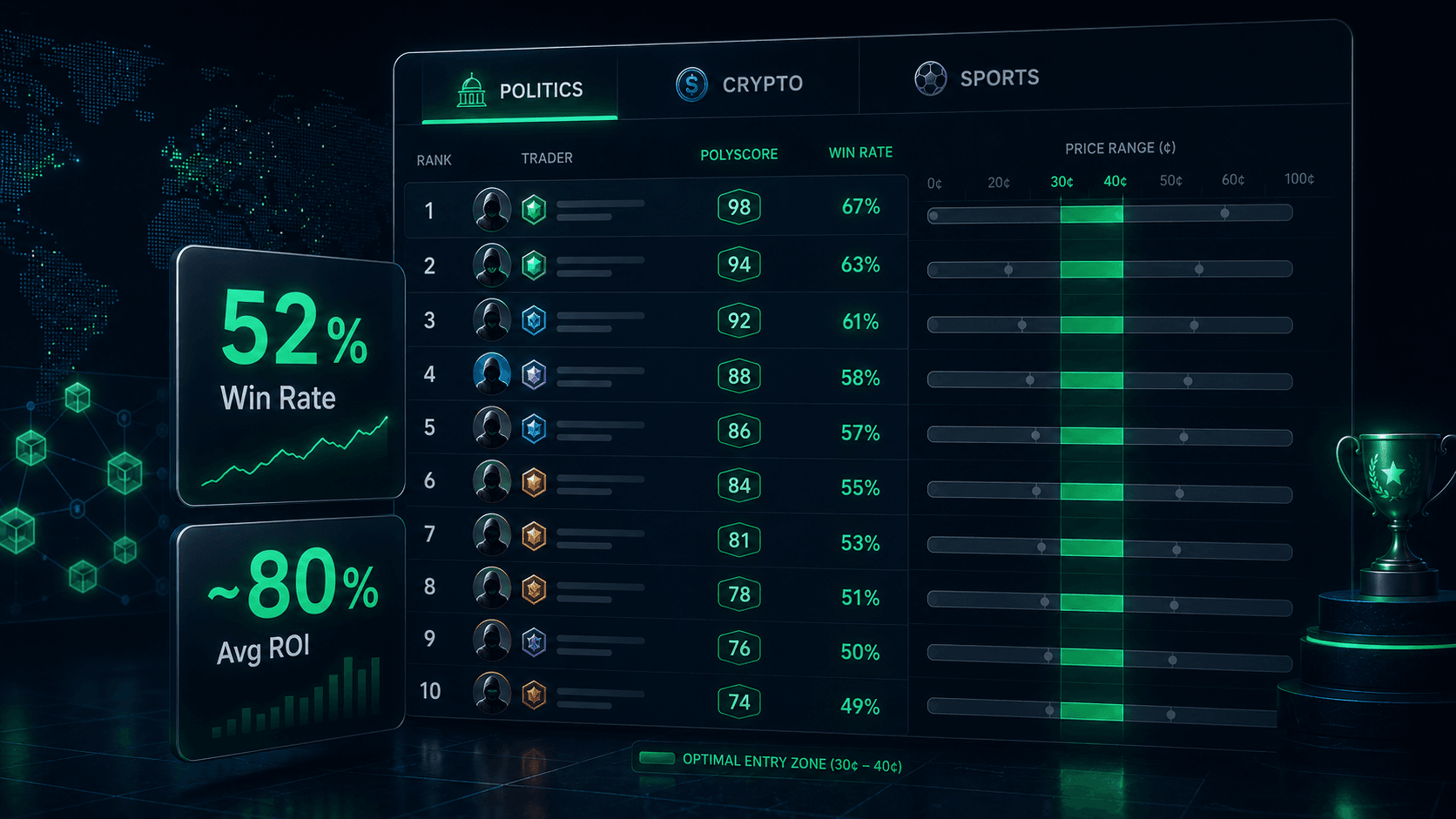
Instead of only being told when prices hit your level, you can also be told when smart money moves into a market you care about. The Whale Trades feed and the Top Traders Leaderboard show large positions and proven profitable wallets. A whale buying into one of your watch-list markets is a strong "wake up and look at this" signal, even if your price alert has not fired yet.
We covered the deep version of this in How to Spot Smart Money on Polymarket. For the lazy trader, the short version is: combine a price alert with a whale alert, and you are getting notified on both price and information.
A Realistic Lazy Trader Workflow
Here is what a calm, sustainable Polymarket routine actually looks like:
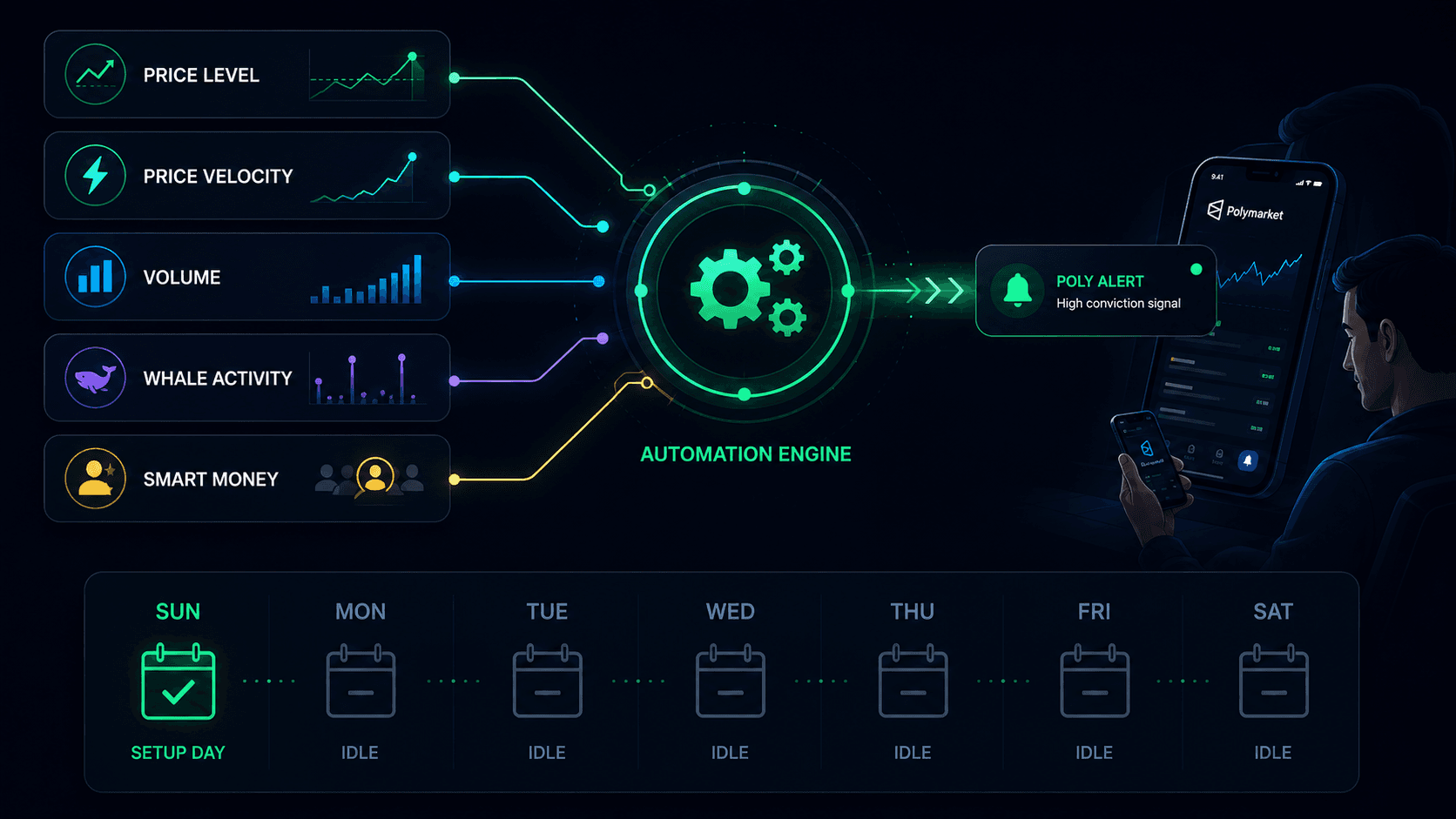
Sunday (15 minutes)
- Skim the news for the week ahead.
- Pick 3 to 5 markets that intersect with stories you would follow anyway.
- For each, write down a buy price and a sell price based on your own probability estimate.
Sunday night (10 minutes)
- Set the alerts in PolyAlertHub. Two per market: one for entry, one for exit.
- Optionally enable whale alerts for the same markets.
Mon�Sat (zero minutes)
- Do literally anything else.
- When an alert fires, take a single minute to confirm the thesis still holds.
- If yes, trade. If no, ignore it.
Next Sunday
- Review what fired, what filled, what closed. Adjust prices for next week.
That is the entire system. No charts, no Discord, no doom-scrolling. The market tells you when it is time to look.
Conclusion
The dirty secret of prediction markets is that the best traders are not the most active. They are the most prepared. They decide their prices in advance, then let the alerts pull them in only when the market actually comes to them.
If you have been losing money trying to "stay on top of" Polymarket, try the opposite for a month. Pick a few markets, set your levels, walk away. You will trade less, sleep more, and probably end up greenlight by accident.
That is not laziness. That is leverage.
Resources:
Frequently Asked Questions
Are Polymarket price alerts free?
PolyAlertHub offers price alerts as part of its core feature set, with tiered limits depending on your plan. Casual traders can usually get started without a paid subscription.
How do I receive Polymarket alerts?
You can choose email, Telegram, or both when you create the alert. Telegram is generally faster and better suited to time-sensitive moves.
Can I set multiple alerts on the same market?
Yes. In fact it is recommended. Setting both an entry alert and an exit alert means the system handles both sides of your trade plan, not just the open.
What is a realistic price level for a Polymarket alert?
A level the market has plausibly traded near in the past 30 days, or one it could realistically reach if a known catalyst (debate, ruling, earnings, match) moves it. Wishful levels rarely fire and do not produce trades.
Can I combine price alerts with whale tracking?
Yes. Many traders pair a price alert on a specific market with a Whale Trades alert on the same market. That way they get notified by both price action and smart money flow.
Disclaimer: The content provided in this article and via the PolyAlertHub tools is for informational purposes only. It does not constitute financial, investment, or trading advice. Prediction markets carry high risk, and you should never wager more than you can afford to lose. Past performance does not guarantee future results.