How to See Polymarket Whales and Smart Money Without Leaving the Market Page
There is a specific tax that active Polymarket traders pay every single day, and most of them have stopped noticing it. It is the tab tax: open the market, copy the slug, paste it into an analytics dashboard, wait for it to load, scroll, switch back to Polymarket, the price has moved, you've forgotten half of what you read.
Across a hundred markets a week, that tax is enormous. It is also entirely avoidable.
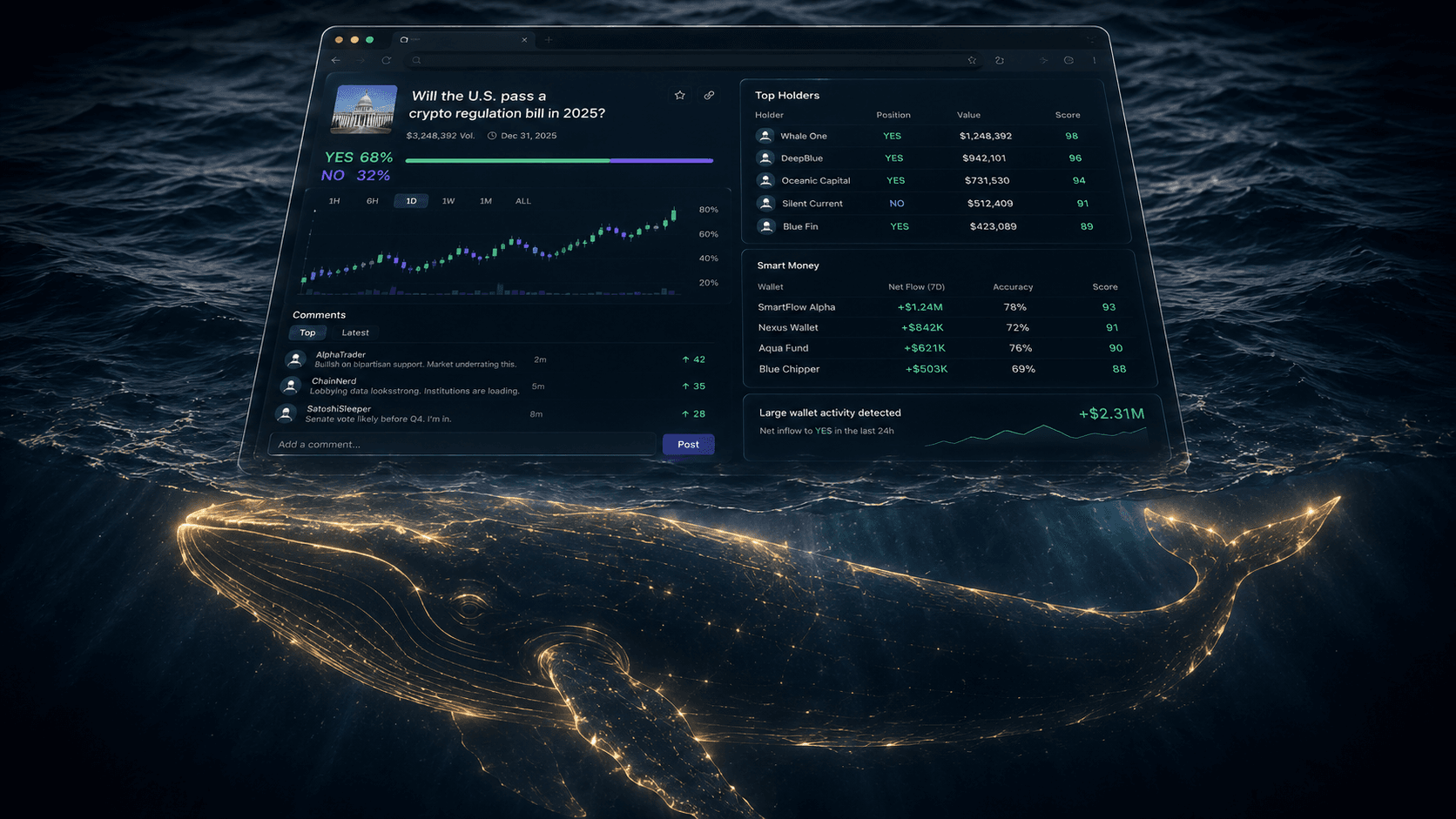
This is a workflow guide for traders who want to do their on-chain reading on the market itself, with no tab switching. The tool is the free PolyAlertHub Insights browser extension, and the goal is simple: see Top Holders, Smart Money, Fresh Wallets, and Correlation directly inside polymarket.com, in the same five seconds you are deciding whether to click buy.
What You Will Learn
- The two-pass workflow: dashboard for discovery, on-page for execution
- How to read a Polymarket cap table in under thirty seconds
- The three on-page signals that change a trade decision most often
- When to ignore the on-page data and zoom out to the Terminal
The Tab Tax Is Real, and It Costs You Edge
Polymarket is one of the most transparent markets on the planet. Every position, every fill, every realized profit and loss is on-chain and inspectable. The asymmetry that makes most markets hard barely exists here.
The asymmetry that does exist is attention. Most retail traders never look at on-chain data because the cost of looking — opening a tab, hunting down the wallet, comparing it against history — is just slightly higher than the perceived benefit on any single trade. So they skip it. Then they skip it the next time. Then they wonder why the market keeps fading their entries.
The fix is not "be more disciplined." The fix is to make looking cheaper than not looking.
That is what an on-page extension does. When the data is already in your peripheral vision, the cost of glancing is roughly zero, so you glance every time. And glancing every time is exactly what separates traders who consistently extract value from prediction markets from those who do not.
The Two-Pass Workflow
Trying to do everything on one surface is a mistake. The right setup is two passes.
Pass 1: Strategic — Done in the Dashboard
Before you ever open a Polymarket event page, you should already have a candidate list. This is where the PolyAlertHub Markets dashboard and Top Traders leaderboard earn their keep:
- Filter to categories you actually understand.
- Find wallets with strong realized PnL across resolved trades, not single moonshots.
- Note which markets those wallets are currently positioned in.
- Pull a short list — five to ten markets — into your watchlist for the day.
This pass is slow on purpose. You are choosing where to spend attention. Get it wrong here and the rest of the day is wasted on irrelevant markets.
Pass 2: Tactical — Done On the Polymarket Page
Now open each candidate market on polymarket.com. With the PolyAlertHub Insights extension installed, four panels are one click away on the page itself:
- Top Holders — who actually owns this market right now
- Smart Money — which high-scoring traders have already taken a side
- Fresh Wallets — recently created addresses building positions here
- Correlation — other markets that move together with this one
This pass should be fast. Thirty seconds per market, maybe sixty. The decision you are making is binary: trade or move on.
Reading a Polymarket Cap Table in Thirty Seconds
When you open the Top Holders tab, you are looking at the cap table for the market. Here is the read.
Step 1: Concentration check.
Do the top 5 YES holders control most of the YES float? Same for NO? A concentrated market behaves differently from a broadly held one. Concentration means liquidity can vanish if one whale exits. It also means one large mind has a real view here.
Step 2: Side asymmetry.
Is the YES side concentrated and the NO side fragmented, or vice versa? A side that is held by a few large, deliberate wallets versus a side held by hundreds of small retail wallets is a meaningful asymmetry. Often the concentrated side is the one with more conviction. Not always — but often.
Step 3: Familiarity.
Click into the top two or three wallets on each side. Have you seen them before? The extension links straight out to PolyAlertHub trader profiles, so you can spot a known smart money wallet in two clicks.
If a wallet you have flagged in your watchlist is sitting in the top 10 holders here, that is the most useful signal the cap table can give you.
That is the entire read. Thirty seconds.
The Three On-Page Signals That Change a Trade Most Often
Across thousands of trades, three patterns from the on-page panels are the ones that flip decisions most often. Watch for these.
Signal 1: Smart Money on One Side, Volume on the Other
You open a market. Volume is heavy on YES. The price has been climbing. Looks like a momentum trade.
You open the Smart Money tab. The highest-scoring wallets in the market are sitting on NO.
This is the most common contrarian setup the extension surfaces. Volume is retail enthusiasm. Smart Money is positioning. When they disagree, the question is which one resolves first — and over a long enough sample, smart money tends to.
This is exactly the dynamic the Inverse Cramer Indicator section of our smart money guide is built around: track the worst traders, then think hard about what their concentrated side is telling you.
Signal 2: A Burst of Fresh Wallets Right Before a Catalyst
The Fresh Wallets tab shows recently-created addresses that immediately took a position in this specific market.
A handful of fresh wallets in any market is normal background noise — new users sign up every day. A cluster of fresh wallets, all on the same side, all sized similarly, hours before a known catalyst (a debate, a Fed meeting, a sports event), is not background noise. It is somebody with a view operating from clean addresses, or a coordinated entry, or both.
The extension does not tell you which. It tells you to look.
For a deeper read on fresh wallet detection in general, see the Fresh Wallet Tracker.
You like the YES thesis on Market A. The Correlation tab shows Market B is 0.9+ correlated with it. You check Market B and find:
- Wider spreads moving in your favor
- Better depth
- A more mispriced entry
You can express the same view in the better market. This single signal pays for the extension over a year.
When to Ignore the On-Page Data and Zoom Out
The extension is for tactical reads on a market you have already decided is worth attention. It is not the right surface for:
- Cross-market scanning. "What are whales doing platform-wide right now?" — that is a Whale Alerts and Terminal question, not an extension question.
- Backtesting. Studying how a wallet performed last month belongs in the trader profile pages.
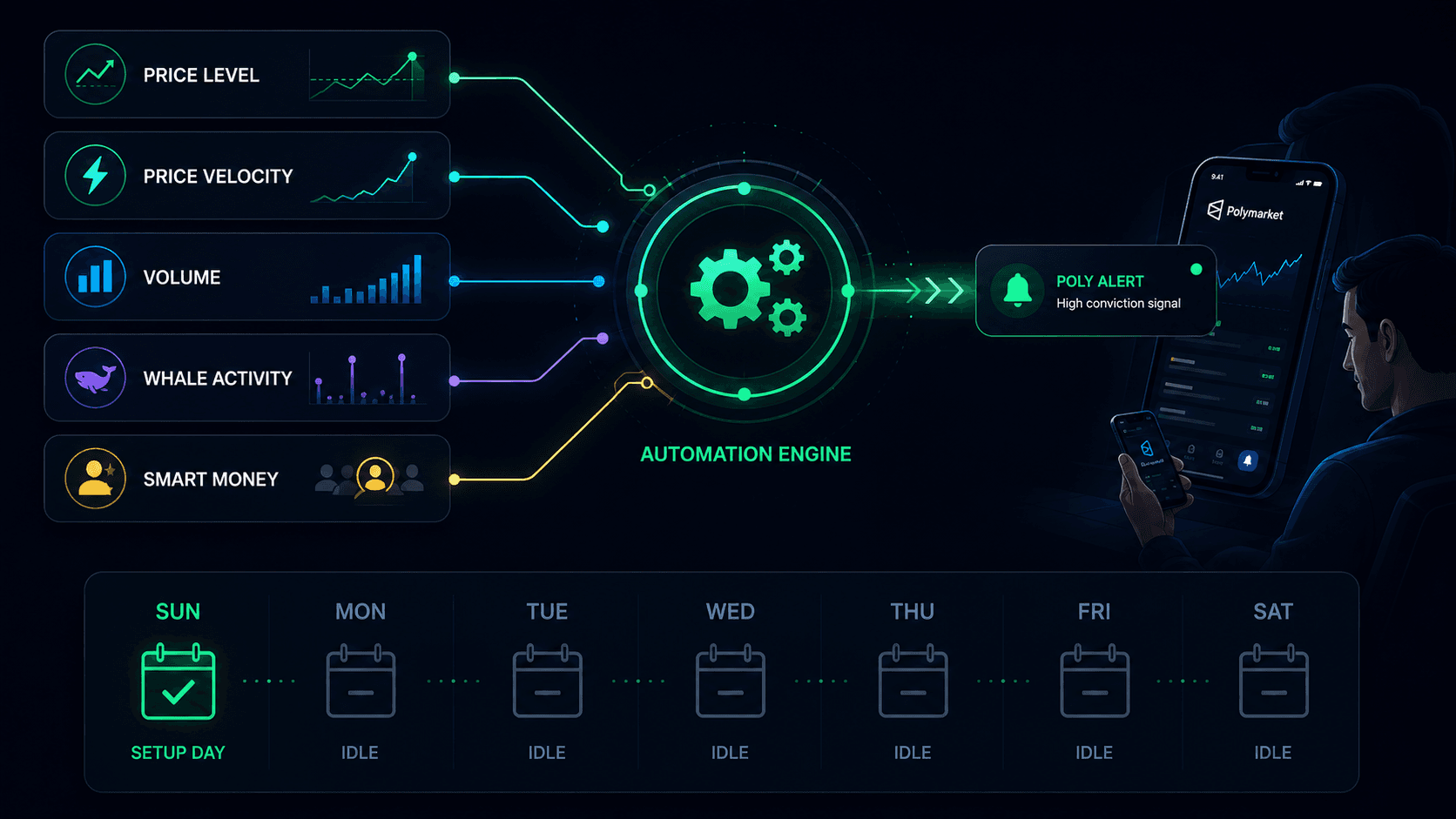
- Position management. Once you have a position, alerts manage it. The on-page panels are about entry context, not exit timing. For exits, set a Polymarket price alert at your target and your stop before you click buy.
Different tools, different jobs. Use the right one.
A Concrete Session, Start to Finish
Here is what a tight session looks like with this workflow.
8:30 a.m. — Open the Markets dashboard. Filter to politics and crypto. Pull seven markets into a watchlist.
8:45 a.m. — Open each market on polymarket.com in its own tab. The extension loads automatically.
8:46 a.m. – 8:53 a.m. — Walk through the seven tabs. For each, open the side panel, read Top Holders → Smart Money → Fresh Wallets → Correlation. Most markets get rejected in under a minute. Two survive.
8:54 a.m. — On the two survivors, set price alerts at the stop and target before placing the order.
8:56 a.m. — Place the orders.
Rest of the day — The alerts manage the trades. You go do something else.
That is the entire shape of it. Most of the actual work is in pass 1. Pass 2 is fast because the extension makes it fast.
Get the Extension
The PolyAlertHub Insights extension is free, and installs in about one minutes on Chrome, Edge, Brave, or Firefox. Install instructions and a full feature breakdown are in the extension launch post.
Once you have used it for a week, going back to the tab-tax workflow feels exactly as expensive as it always was — you just stopped noticing.