The Polymarket Browser Extension That Adds Top Holders, Smart Money & Fresh Wallets to Every Event Page
If you trade on Polymarket, you already know the workflow: open a market, read the description, glance at the chart, scroll to the comments, then context-switch to a separate analytics tool to actually figure out who is on the other side of your trade. Open a tab. Paste the slug. Wait. Switch back. By the time you have the picture, the price has moved.
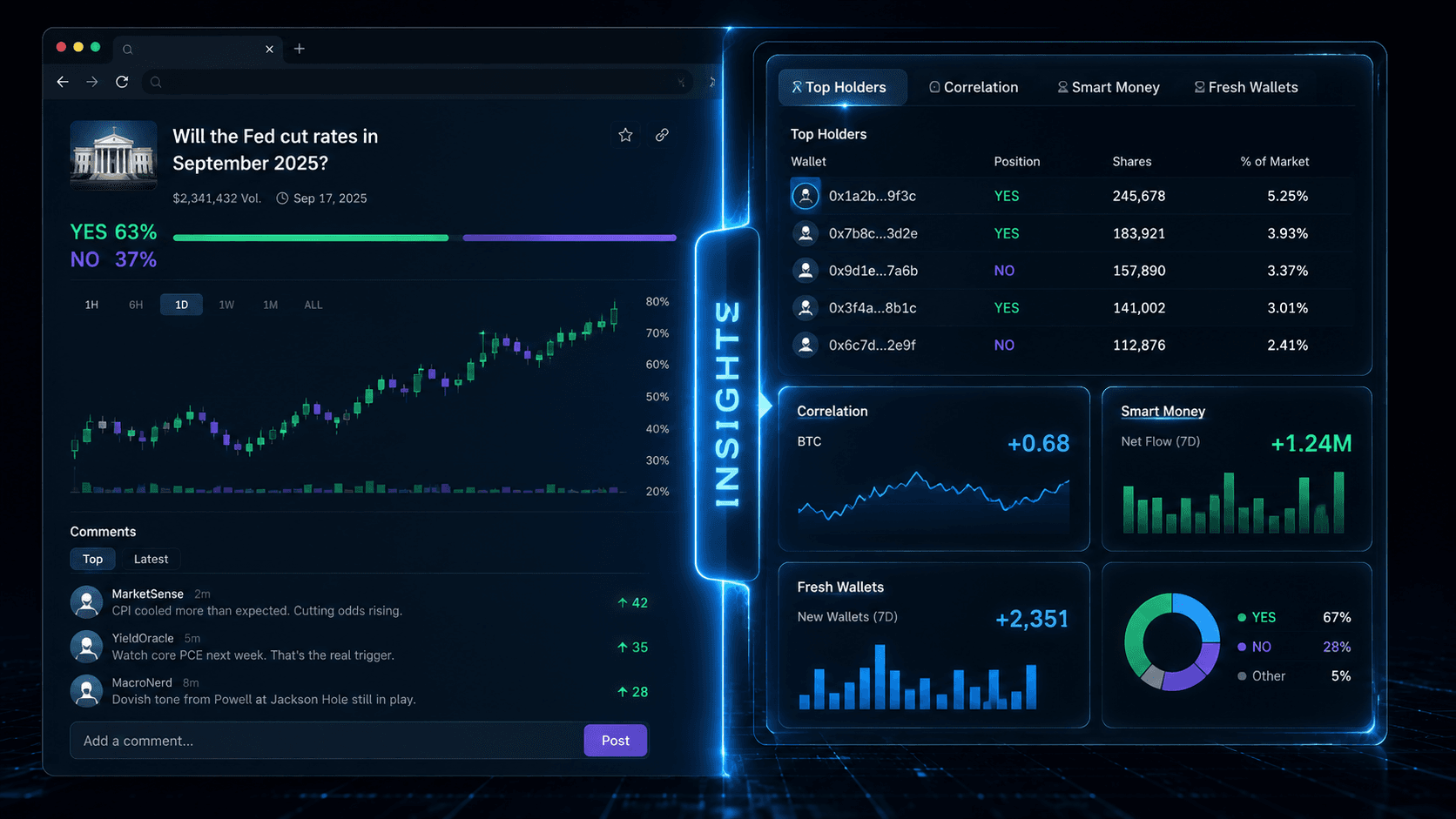
The PolyAlertHub Insights browser extension removes that friction. It injects four analytics surfaces — Top Holders, Correlation, Smart Money, and Fresh Wallets — directly into every polymarket.com/event/... page, in a side panel and inline tab strip that lives next to Polymarket's native comments. You stay on the page. The data comes to you.
This guide covers what the extension does, why each tab matters, how to install it on Chrome, Edge, Brave, and Firefox, and how to fold it into a real trading workflow.
What You Will Learn
- Why on-page analytics outperform separate dashboards for active Polymarket trading
- What each of the four tabs (Top Holders, Correlation, Smart Money, Fresh Wallets) actually shows
- How to install the extension on every major browser
- How to combine on-page insights with PolyAlertHub Whale Alerts and the PolyAlertHub Terminal
- Settings, privacy, and what the extension does not do
Why an Extension and Not "Just a Dashboard"
PolyAlertHub already runs a full analytics stack at polyalerthub.com/terminal. It has whale tracking, smart money scoring, fresh wallet detection, market analytics, and price alerts. So why ship an extension at all?
Because the most valuable five seconds in any prediction market trade are the five seconds you are looking at the market itself. That is when your thesis is loaded into your head, the price is fresh, and you are about to act. Anything that forces you to leave the page in those five seconds costs you accuracy or speed, often both.
A separate dashboard answers questions like "who are the best traders on Polymarket?" and "what are whales doing right now across the platform?" — those are strategic questions, and the Terminal handles them well.
An on-page extension answers a different question: "Right now, on this exact market I am about to trade, what does the cap table look like and who is holding it?" That is a tactical question. It belongs on the page.
Key insight: Strategy belongs in the dashboard. Execution context belongs on the market itself. Different surfaces, different jobs.
What the Extension Adds to polymarket.com
Once installed, the extension renders two surfaces on every Polymarket event page:
1. A collapsible side panel docked to the right edge of the page. Click the vertical PolyAlertHub logo to open it.
2. An inline tab strip placed directly next to Polymarket's native comments tabs. Clicking any chip opens the tab data.
Both surfaces respect Polymarket's light/dark theme, and individual tabs can be hidden in the extension's settings if you only want a subset.
Here is what each tab gives you.
Top Holders
The first thing you want to know about any market is who is holding it. The Top Holders tab pulls the largest YES and NO position holders directly from polymarket and shows them ranked by size, with a link out to each wallet's profile.
This is the cap table for the market. Use it to answer:
- Is this market dominated by one or two big positions, or is it spread across hundreds of wallets?
- Are the largest YES holders the same wallets that show up across other markets you trust?
- Has a known smart money trader already taken a side?
A market where the top 5 YES holders control most of the float behaves very differently from a market with broad participation. Knowing which one you are in changes how aggressively you size and how much slippage you should expect.
Correlation
The Correlation tab surfaces other markets whose prices move together with the one you are looking at. If "Will Candidate X win the primary?" and "Will Party Y win the general?" are tightly correlated, that is information — both about the underlying narrative and about where pair trades or hedges might exist.
Cached for one minute to keep things fast and to avoid hammering the upstream API.
Smart Money
This tab uses PolyAlertHub's proprietary scoring (the same engine documented in How to Spot Smart Money on Polymarket) to surface the highest-scoring wallets currently positioned in the market. It answers the question that volume alone cannot: of the money in this market, how much of it has a track record of being right?
Fresh Wallets
Fresh Wallets are addresses that started trading on Polymarket recently and immediately took a meaningful position in this market. They are worth watching because fresh wallets often signal one of two things: someone with information setting up a position from a clean address, or coordinated activity worth understanding before it becomes obvious.
The Fresh Wallets tab on the extension mirrors the standalone Fresh Wallet Tracker but scoped to the market currently in your tab.
How to Install the Extension
The fastest way to install is through the official extension links.
Chrome, Edge, and Brave
- Open the Chrome Web Store listing.
- Click Add to Chrome.
- On Edge or Brave, use the same Chrome listing and approve the install prompt.
- Pin the extension from your browser's extensions menu.
- Visit any
polymarket.com/event/... page and click PolyAlertHub logo on the right edge.
Firefox
- Open the Firefox Add-ons listing.
- Click Add to Firefox.
- Visit any
polymarket.com/event/... page.
Settings
Right-click the extension icon and choose Options, or open the toolbar popup and click Open settings. From there you can:
- Show or hide the inline tab strip on Polymarket pages.
- Disable any of the four tabs individually if you only care about a subset (for example, only Top Holders and Fresh Wallets).
A Real Trading Workflow With the Extension
Here is how the extension fits into a real session, end-to-end.
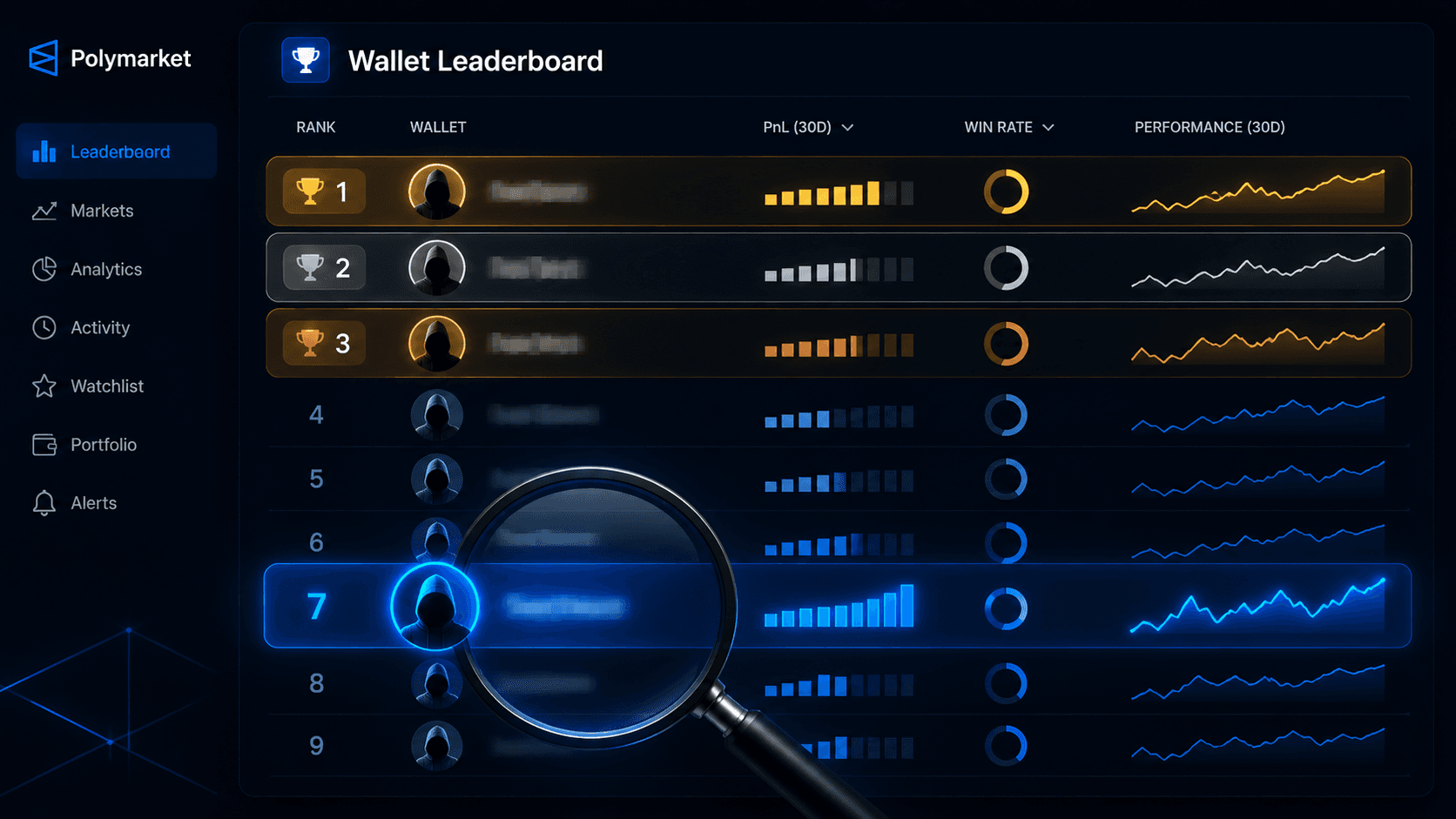
1. Filter at the dashboard level. Start the day in the Markets dashboard or Top Traders leaderboard to find markets and wallets worth your attention.
2. Drop into the market on polymarket.com. Once you have a candidate market, open it directly on polymarket.com. The extension loads automatically.
3. Read the cap table. Open the side panel and start with Top Holders. Concentrated? Spread? Familiar wallets?
4. Check Smart Money. Switch to the Smart Money tab. If high-scoring wallets are positioned on one side, that is a real signal. If smart money is split, that is also a signal — it tells you the market is contested.
5. Scan Fresh Wallets. A surge of brand-new addresses on one side of a low-profile market is rarely noise.
6. Look at Correlation. Are there cleaner ways to express the same view? Sometimes the correlated market has better liquidity or a wider mispricing.
7. Set the alert before you trade. Before placing the order, set a PolyAlertHub Price Alert at your stop and your target. The extension is for entry context. Alerts are for managing the position once you are in.
This is the gap the extension closes: the last few seconds between research and click.
Privacy, Permissions, and What It Does Not Do
The extension is intentionally minimal. It ships with these permissions only:
storage — to save your tab visibility settings.host_permissions for polymarket.com and api.polyalerthub.com — the four endpoints it actually reads from.
It does not read or modify Polymarket's order book, place trades, touch your wallet, or read any page content outside of detecting the current market URL. All network calls are routed through a service worker so nothing leaks into the page context.
Frequently Asked Questions
Is the extension free?
Yes. Top Holders, Correlation, and Fresh Wallets work for everyone. The Smart Money tab requires a PolyAlertHub Premium account — if you are not signed in or not on Premium, the tab links you out to the Terminal where you can sign in or upgrade.
Does it work on mobile?
Browser extensions do not run on iOS Safari or the Polymarket mobile app. On Android, Firefox supports extensions from the Firefox Add-ons listing, but the experience is still primarily designed for desktop.
Will this slow Polymarket down?
The panel is rendered asynchronously and only fetches data when you open it. Tabs you have disabled in settings make zero network calls.
How is this different from the Terminal?
The PolyAlertHub Terminal is the full multi-panel workspace — alerts, watchlists, market analytics, paper trading, all of it. The extension is a focused on-page surface. Many traders use both: Terminal for planning, extension for execution.
Get the Extension
Install PolyAlertHub Insights from the official extension page: polyalerthub.com/polymarket-extension. From there, choose your browser and jump directly to the Chrome Web Store or Firefox Add-ons listing. Pin the icon, open any Polymarket event page, and the PolyAlertHub logo will be ready on the right edge.
For the broader ecosystem of analytics this connects to, start with the Smart Money Tracker, the Fresh Wallet Tracker, and Polymarket Whale Alerts.
The data has always been on-chain. The extension just puts it where your eyes already are.