How to Automate Polymarket Monitoring
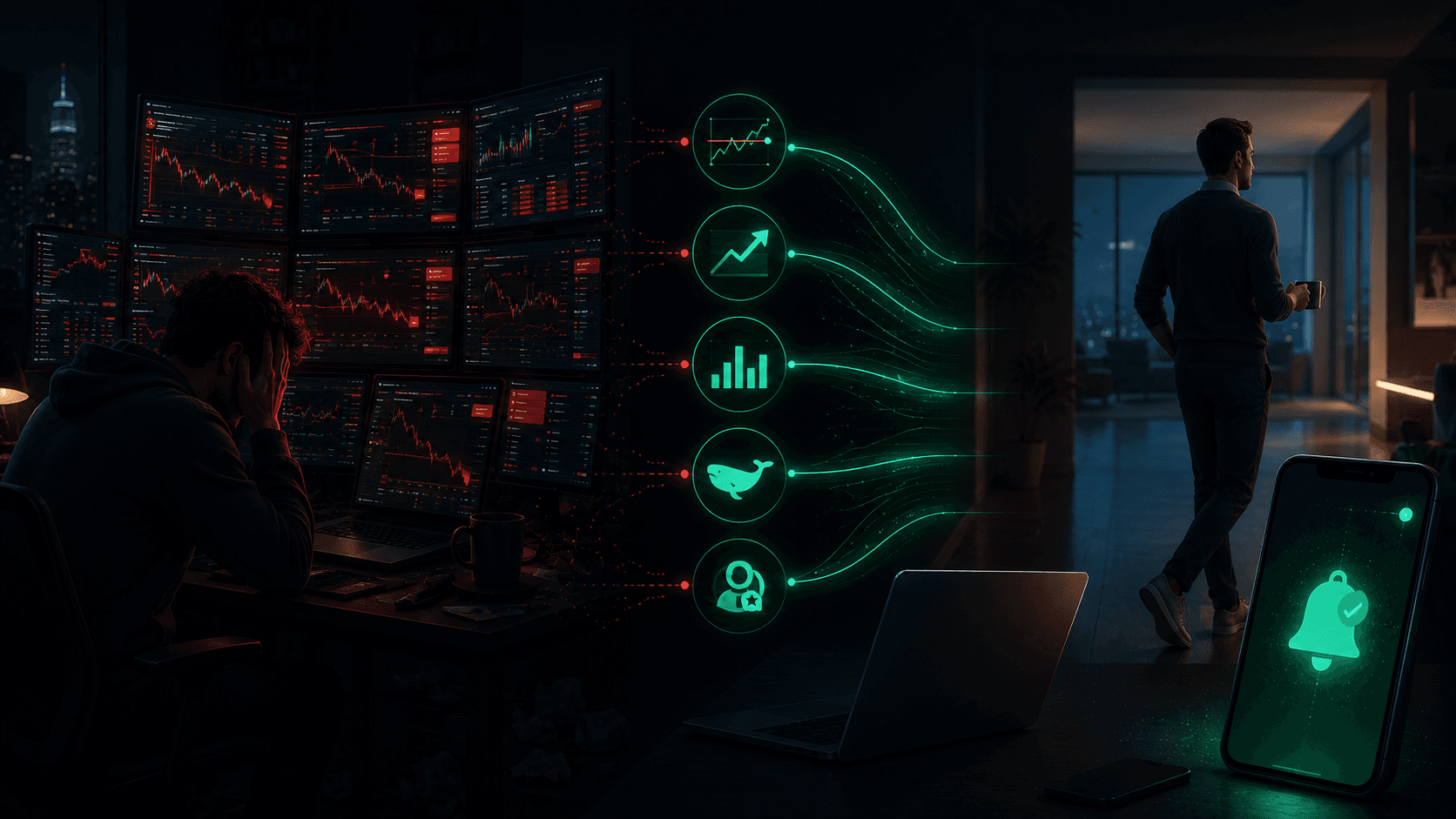
Here is the situation most Polymarket traders are in: they want to track a dozen markets, follow a handful of profitable wallets, catch breaking news before the price moves, and never miss a fat-pitch opportunity. They also have a job, a life, and the basic human need to sleep. So they end up doing the only thing that feels possible, which is checking the app twenty times a day, missing half the moves anyway, and trading the other half badly because they were stressed when they saw them.
Automation is the way out. Not in the "set a bot to trade for you" sense, prediction markets are too thin and too event-driven for naive automation to work well. In the "build an alert system that watches everything for you and only interrupts you when something worth your attention happens" sense.
This guide walks through how to automate your Polymarket monitoring end to end using a layered alert stack. The goal is simple: cover more markets than any human could watch, with better timing, in under an hour of active work per week.
What You Will Learn
- What "automating Polymarket monitoring" really means (and what it does not)
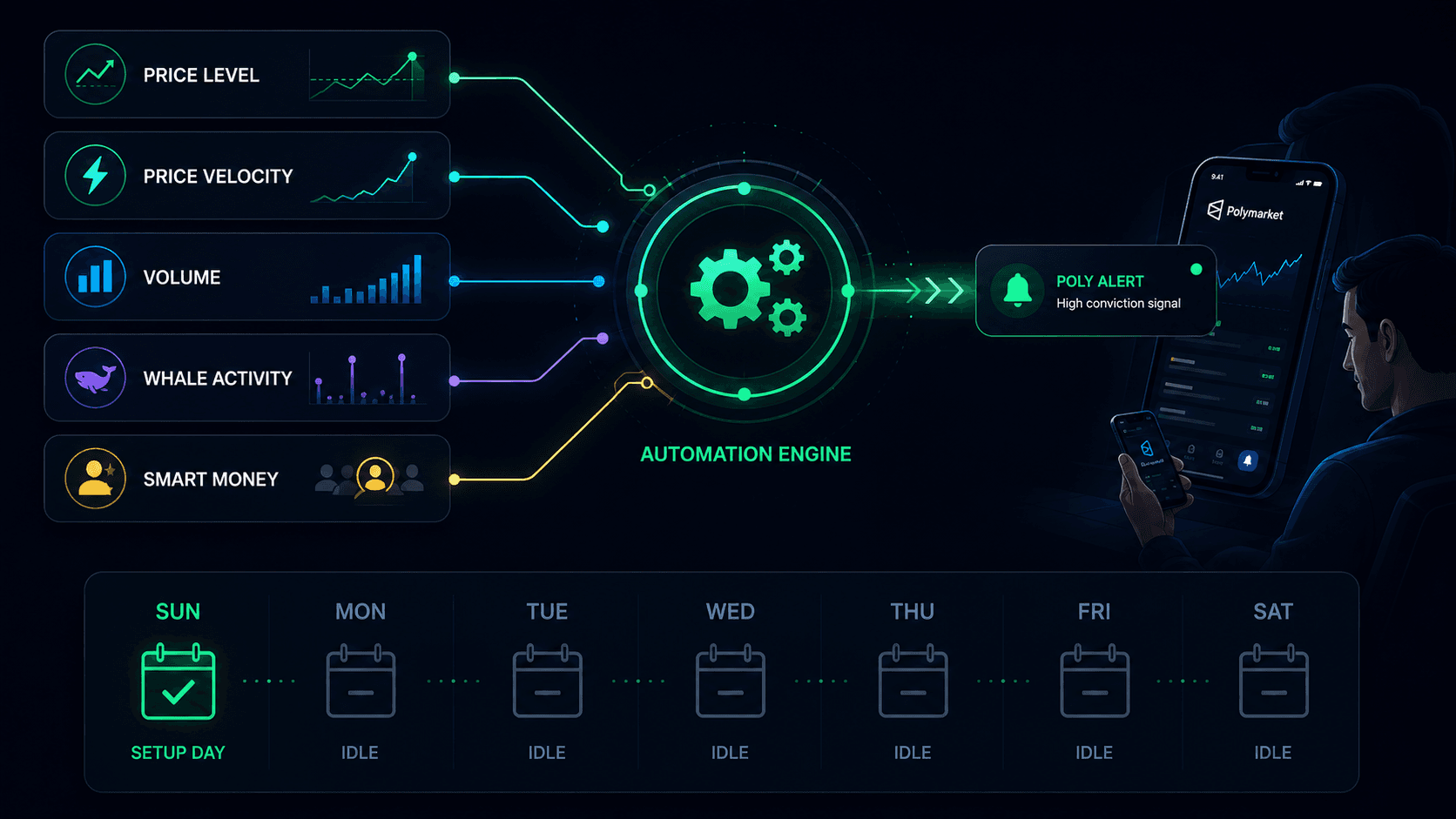
- The five-layer alert stack that covers the whole platform
- How to configure each layer so the system fires only on meaningful signals
- A repeatable weekly workflow that takes under an hour and runs the rest of the week on its own
- How to tune the system over time so it gets quieter and higher quality
What Automating Polymarket Monitoring Actually Means
Let's be precise, because the word "automation" gets used loosely.
Automated monitoring is not automated trading. You are not handing your bankroll to a bot. You are building a system that watches for you and tells you when to look. The decision to trade, the sizing, and the execution remain yours. This is the right line to draw, because the hard part of prediction market trading is judgment, not surveillance. Automating the surveillance frees your judgment for the moments that actually need it.
Automated monitoring is not a single tool. It is a stack of alert types, each watching for a different signal, configured to work together. No single alert type covers the platform. Price alerts miss velocity. Price movement alerts miss levels. Volume alerts miss specific traders. Whale alerts miss markets with no large actors. The coverage comes from layering them.
Automated monitoring is not "set and forget forever." It is "set and tune." Markets change, categories rotate, traders cool off. A system that worked perfectly in March may be firing on the wrong markets in July. The weekly tuning is part of the automation, not a failure of it.
With those definitions in place, here is the stack.
The Five-Layer Alert Stack
Each layer answers a different question. Together, they cover the full surface area of what is worth knowing on Polymarket.
Layer 1: Price Alerts — "Is the market at my level?"
The foundation. For every market you have an opinion on, set two price alerts: one at your entry level, one at your exit level. This encodes your plan into the system so you do not have to remember it.
Price alerts are the most personal layer. They fire on your levels, not on general market activity. A price alert at 38¢ on a market you believe is worth 55¢ is a precise, thesis-driven signal. It will only fire when the market comes to you.
How to configure: Two per market (entry and exit). Use realistic levels based on your probability estimate, not wishful levels the market will never reach. For the full setup, see How to Use Polymarket Price Alerts.
Layer 2: Price Movement Alerts — "Did something move fast?"
Velocity alerts that fire when a market moves by a set amount within a time window. These catch breakouts, reversals, and information events the moment they start, regardless of whether the resulting price is one you expected.
This is the layer that catches the surprises. A price alert only fires when the market reaches a level you predicted. A price movement alert fires when something is happening fast, even if you did not predict the exact level.
How to configure: Use the Sharp Movement preset (5¢ in 15 minutes) as a starting point for categories you actively trade. Narrow scope to Specific Categories so the feed is not overwhelming. Add direction filtering once you know whether you care about up moves, down moves, or both. See Polymarket Price Movement Alerts for the full guide.
Layer 3: Volume Change Alerts — "Is capital flowing in?"
The leading indicator layer. These fire when trading activity surges within a time window, often before the corresponding price move is visible. This is how you catch quiet accumulation and sudden interest before it becomes an obvious price move.
How to configure: Use the Volume Spike preset (50% in 1 hour) with a meaningful minimum absolute volume change. The absolute floor is critical, without it, the alert fires on thin markets doubling from nothing to almost nothing. See Polymarket Volume Change Alerts for the full guide.
Layer 4: Whale Alerts — "Did a large trader just act?"
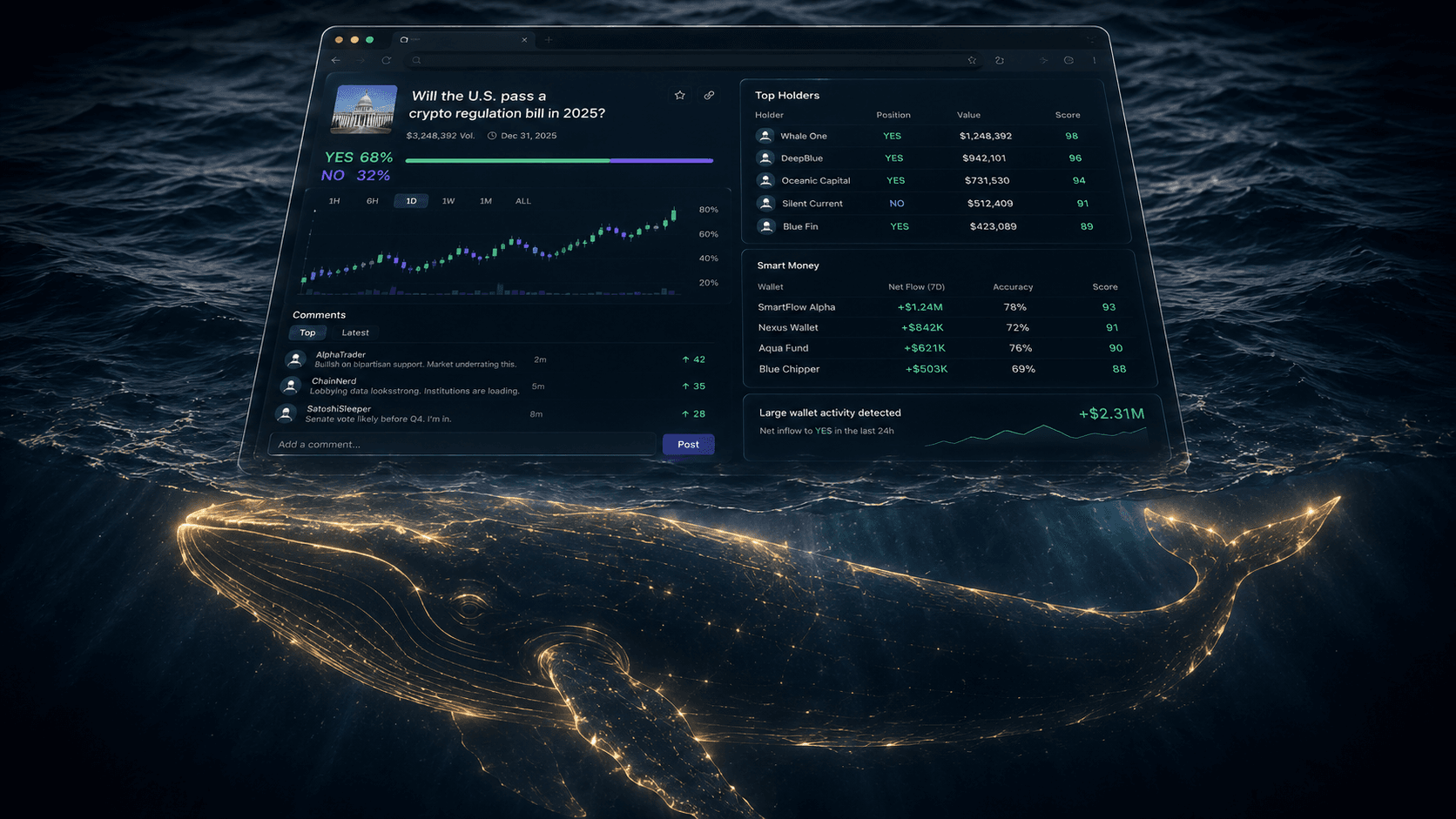
The attribution layer. These fire when a wallet takes a meaningfully large position. This turns anonymous market activity into named intelligence: you learn not just that capital moved, but that a specific large wallet moved it.
The power of this layer comes from combining it with performance data. A large position from a proven wallet is a signal. A large position from a wallet with a bad track record is a contrarian signal. The Whale Alerts feed shows both the position and the context.
How to configure: Enable whale alerts on the categories you trade. You do not need to pre-select wallets at this layer; the feed surfaces large positions across the platform. Use this as a general flow monitor alongside the more targeted trader alerts in the next layer.
Layer 5: Trader and Smart Money Alerts — "Did a trader I trust just act?"
The most refined layer. Instead of alerting on any large trader, you alert on specific wallets you have vetted, and on proven traders entering their historical edge ranges.
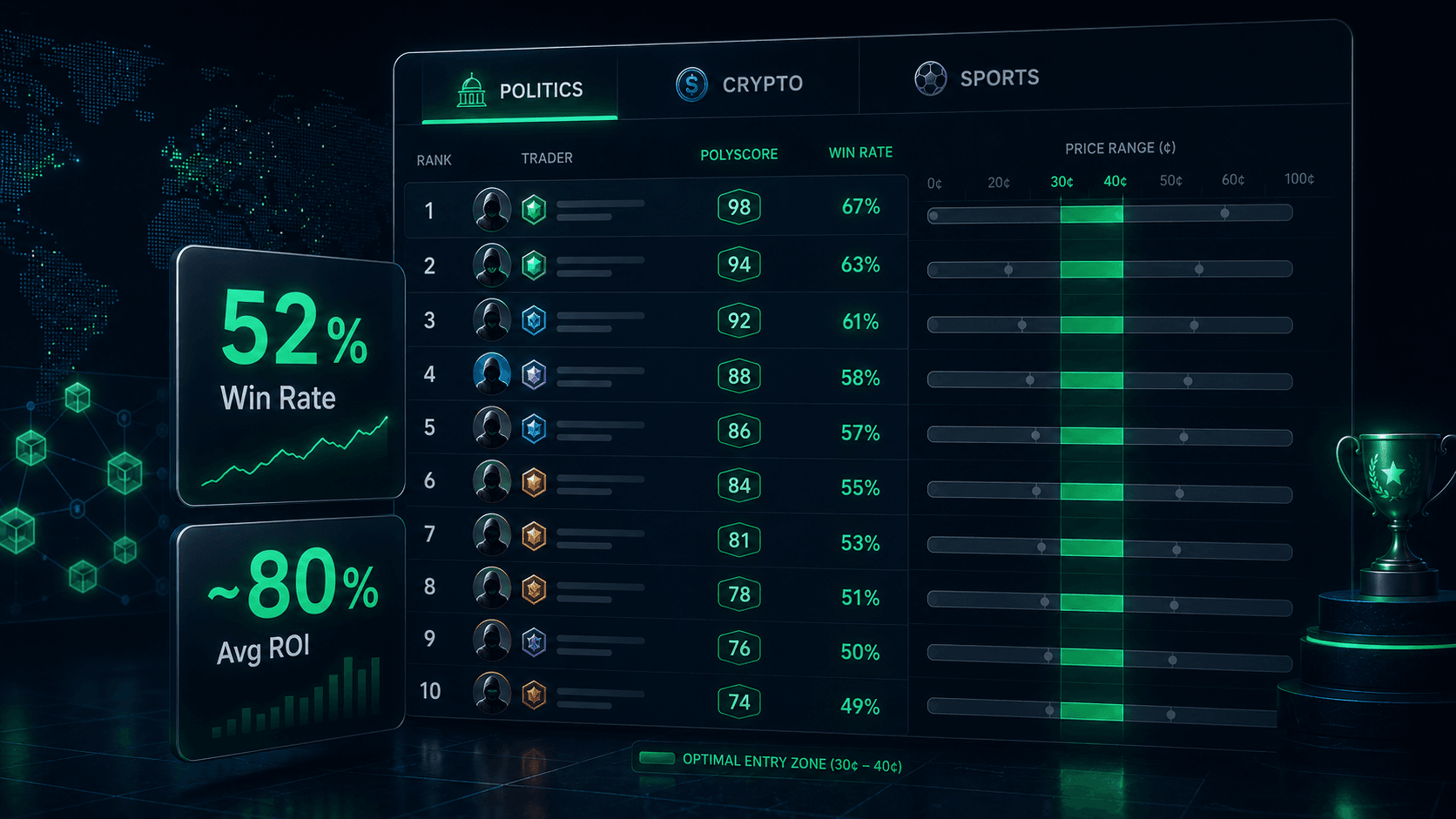
This layer requires research upfront. You build it by filtering the Trader Leaderboards for specialists in your categories, reviewing their profiles, and adding the best 5 to 10 to your watchlist. Once set, Trader Alerts notify you whenever one of them acts. The Smart Money Alerts go further, firing only when high-PolyScore traders enter inside their proven price ranges, with conviction filtering for signal quality.
How to configure: Build a watchlist of 5 to 10 vetted wallets using the framework in How to Find Winning Wallets on Polymarket. Set trader alerts on them. Separately, configure Smart Money Alerts with conviction set to HIGH on the categories you trade. See Tracking Smart Money on Polymarket for the full system.
How the Layers Work Together
The layers are not independent. They reinforce each other, and the highest-conviction moments come when multiple layers fire on the same market close together.
Consider a market where the following happens within an hour:
- Your volume change alert fires: activity is up 80% with $15,000 in new flow.
- Your whale alert fires: a large wallet just opened a position.
- Your smart money alert fires: a high-PolyScore trader entered in their proven range, HIGH conviction.
- Your price movement alert fires: the price just moved 6¢ in 15 minutes.
That is a cluster. Four independent layers, each watching for a different signal, all pointing at the same market within the same window. Any one of those alone might be noise. All four together is almost certainly something. This is the moment the system was built to surface.
Now consider the opposite: a price movement alert fires on a market, but volume did not spike, no whale alert fired, and no smart money alert fired. That is a price move on low conviction, likely a thin-market fluctuation. The absence of corroborating signals tells you to treat it with skepticism.
This is why you run the full stack rather than picking one alert type. Each layer is a partial signal. The combination is the complete picture, and the system does the combining for you by delivering the alerts to the same place.
For the underlying philosophy, see Why Professional Traders Use Alerts.
The Weekly Workflow
Here is the actual routine that runs the system. Total active time: under an hour per week.
Sunday: Research and Setup (20 to 30 minutes)
- Review the week ahead. Identify markets in your categories with upcoming catalysts: debates, rulings, earnings, matches, scheduled announcements.
- Update your probability estimates. For each market you care about, write down what you believe the true probability is and why. This is the work that makes every other layer useful.
- Set or update price alerts. Two per market: entry and exit, based on your estimates. Remove alerts on markets that have resolved or that you no longer have a view on.
- Check volume and price movement alert scopes. Make sure they cover the categories you are actively trading this week. Adjust thresholds if last week's feed was too noisy or too quiet.
- Refresh your trader watchlist. Check the Trader Leaderboards for any new high-PolyScore specialists in your categories. Add promising wallets. Remove any that have gone cold or whose recent performance has deteriorated.
Monday to Saturday: Respond Only (near zero minutes)
- Do not open the platform proactively.
- When an alert fires, take 60 seconds to evaluate: does the thesis still hold? Are other layers corroborating? Is this a market you want to act on?
- If yes, act. If no, dismiss and move on.
- If a cluster of alerts fires on one market, that is your high-priority moment for the day. Give it real attention.
Next Sunday: Review and Tune (15 to 20 minutes)
- Which alerts fired? Which resulted in trades? Which were noise?
- Tune thresholds. If a layer fired too often, raise its threshold or narrow its scope. If it missed real moves, lower the threshold or widen the scope.
- Check the Smart Money Stats dashboard. See which categories the smart money signals are currently strongest in. Shift your category focus if the edge has rotated.
- Review your own trade journal. Your realized results are the ground truth. If the system is surfacing signals but your trades are losing, the issue is in your execution, not the alerts. Adjust your sizing and execution accordingly.
That is the entire system. The market does the watching. You do the thinking.
Tuning the System Over Time
A new alert stack is never perfectly calibrated. The first two weeks are about finding the right noise level. Here is how to tune each layer.
If your feed is too noisy:
- Raise the percentage thresholds on price movement and volume alerts.
- Set a higher minimum absolute volume change.
- Narrow scopes from All Markets to Specific Categories.
- Raise the minimum conviction on smart money alerts to HIGH.
- Increase cooldowns so the same alert does not fire repeatedly.
If your feed is too quiet and you are missing moves:
- Lower thresholds gradually, one layer at a time, so you can tell which change made the difference.
- Add a category to your scope.
- Add a couple more wallets to your trader watchlist.
- Lower the conviction threshold on smart money alerts, but watch the quality carefully.
If you are getting alerts but acting on none of them:
- This usually means the alerts are not aligned with your thesis. Revisit your probability estimates. An alert that fires outside your areas of conviction is not useful even if it is technically correct.
- Drop markets you do not have a real view on. Coverage without conviction is just noise with extra steps.
The goal is a feed where every notification feels worth at least looking at. If you are swiping alerts away without reading them, the system needs tuning, not ignoring.
What Automation Does Not Replace
Being clear about this prevents the most common failure mode: trusting the system to do your thinking for you.
It does not replace forming a view. Every useful alert in the stack is anchored to a thesis you developed. Price alerts are set at your levels. Trader alerts are set on your vetted watchlist. Smart money alerts fire in your chosen categories. If you have no view, the alerts have nothing to anchor to.
It does not replace risk management. The system tells you when to look. It does not tell you how much to risk. Position sizing, bankroll management, and the discipline to walk away from a signal that does not fit your framework are still entirely yours. Test all of this with paper trading before risking real capital.
It does not replace execution judgment. An alert that fires at 38¢ does not mean 38¢ is still available when you see it five minutes later. Slippage, order book depth, and your own entry timing affect your result. Use limit orders, as explained in Polymarket Limit Orders vs. Market Orders Explained.
It does not replace periodic review. Edges decay. Categories rotate. Traders cool off. The weekly review is what keeps the system aligned with the current market. Skip it for a month and the system will be watching the wrong things.
Conclusion
Automating Polymarket monitoring is not about removing yourself from the process. It is about removing the surveillance from the process so your time is spent on judgment, not on watching.
The five-layer stack covers the full surface area of what is worth knowing: price alerts for your levels, price movement alerts for velocity, volume change alerts for capital flow, whale alerts for attributed size, and trader and smart money alerts for proven skill. Configured with the right scopes, thresholds, and cooldowns, and tuned with a weekly review, the system watches more markets than any human could, with better timing, in under an hour of active work per week.
The traders who consistently win on Polymarket are not the ones who watch the most. They are the ones who built a system that watches for them, and who spend their actual attention on the few moments that deserve it. Build the stack. Tune it weekly. Then stop checking the app and let the market come to you.
Resources:
Frequently Asked Questions
Can I fully automate Polymarket trading?
Automated monitoring is practical and powerful; fully automated trading is generally not advisable on Polymarket. Markets are thin, event-driven, and require judgment that naive bots cannot provide. The recommended approach is to automate the surveillance with a layered alert stack and keep the trading decisions, sizing, and execution under your control.
What alerts do I need to automate Polymarket monitoring?
A five-layer stack covers the platform: price alerts (your levels), price movement alerts (velocity), volume change alerts (capital flow), whale alerts (attributed size), and trader or smart money alerts (proven skill). Each layer answers a different question, and the highest-conviction signals come when multiple layers fire on the same market close together. See Why Professional Traders Use Alerts for the overview.
How much time does an automated monitoring system take?
Under an hour per week of active work. The bulk happens on Sunday: reviewing the week ahead, updating probability estimates, setting price alerts, checking alert scopes, and refreshing your trader watchlist. Monday through Saturday, you only respond when an alert fires, which takes about a minute per alert to evaluate.
How do I stop my alert feed from being noisy?
Raise thresholds, narrow scopes to specific categories, set a meaningful minimum absolute volume change on volume alerts, increase cooldowns, and raise the minimum conviction on smart money alerts to HIGH. The goal is a feed where every notification feels worth looking at. If you are swiping alerts away without reading them, the system needs tuning. See the tuning section above.
Does automated monitoring work 24/7?
Yes. PolyAlertHub monitors markets continuously, so alerts fire whenever your conditions are met, regardless of time of day. This is one of the core advantages over manual monitoring: you are notified of meaningful moves even while you sleep, instead of discovering them the next morning after the opportunity has passed.
Do I still need to do research if I automate monitoring?
Yes. Automation handles surveillance, not judgment. Every useful alert is anchored to a thesis you developed: price alerts are set at your levels, trader alerts are set on your vetted watchlist, smart money alerts fire in your chosen categories. Without your own research and probability estimates, the alerts have nothing to anchor to. Start your research process with How to Find Winning Wallets on Polymarket and How to Spot Smart Money on Polymarket.
Disclaimer: The content provided in this article and via the PolyAlertHub tools is for informational purposes only. It does not constitute financial, investment, or trading advice. Prediction markets carry high risk, and you should never wager more than you can afford to lose. Past performance does not guarantee future results.