Polymarket Price Movement Alerts: Catch the Moves That Matter
A price alert tells you a market reached a level. A price movement alert tells you a market moved fast. That distinction is the whole point.
On Polymarket, the interesting moments are almost always velocity events. A market that drifts from 50¢ to 55¢ over two days is just a slow repricing you can safely ignore. A market that jumps from 50¢ to 58¢ in twelve minutes had something happen: a news story broke, a whale entered, an outcome suddenly became more or less likely. By the time a slow drift is obvious, the opportunity is gone. A rapid move is either a chance to get in early or a warning that your thesis has changed.
Price movement alerts are how you catch those moments without living on the platform. You define a percentage move within a time window, set a direction, and walk away. When the market moves that fast, you are notified. This guide walks through exactly how they work, how to configure them, and how to use them as part of a real trading process.
What You Will Learn
- The difference between price alerts and price movement (velocity) alerts
- The time windows, percentages, and directions you can configure
- The built-in presets and when to use each one
- How scope, cooldown, and direction settings keep alerts useful instead of noisy
- How to combine price movement alerts with volume and whale alerts for higher conviction
Price Alerts vs. Price Movement Alerts
These two alert types answer different questions, and most traders conflate them. Here is the clean separation.
Price alert: "Tell me when this market's price crosses a specific level."
Example: alert when "Yes" drops below 40¢.
This is a level alert. It fires when the market reaches a price you decided in advance. It is the foundation of a plan-based approach: you decide your entry, set the alert, and disappear until the market comes to you. We cover this in detail in How to Use Polymarket Price Alerts.
Price movement alert: "Tell me when this market's price moves by a certain amount within a certain time."
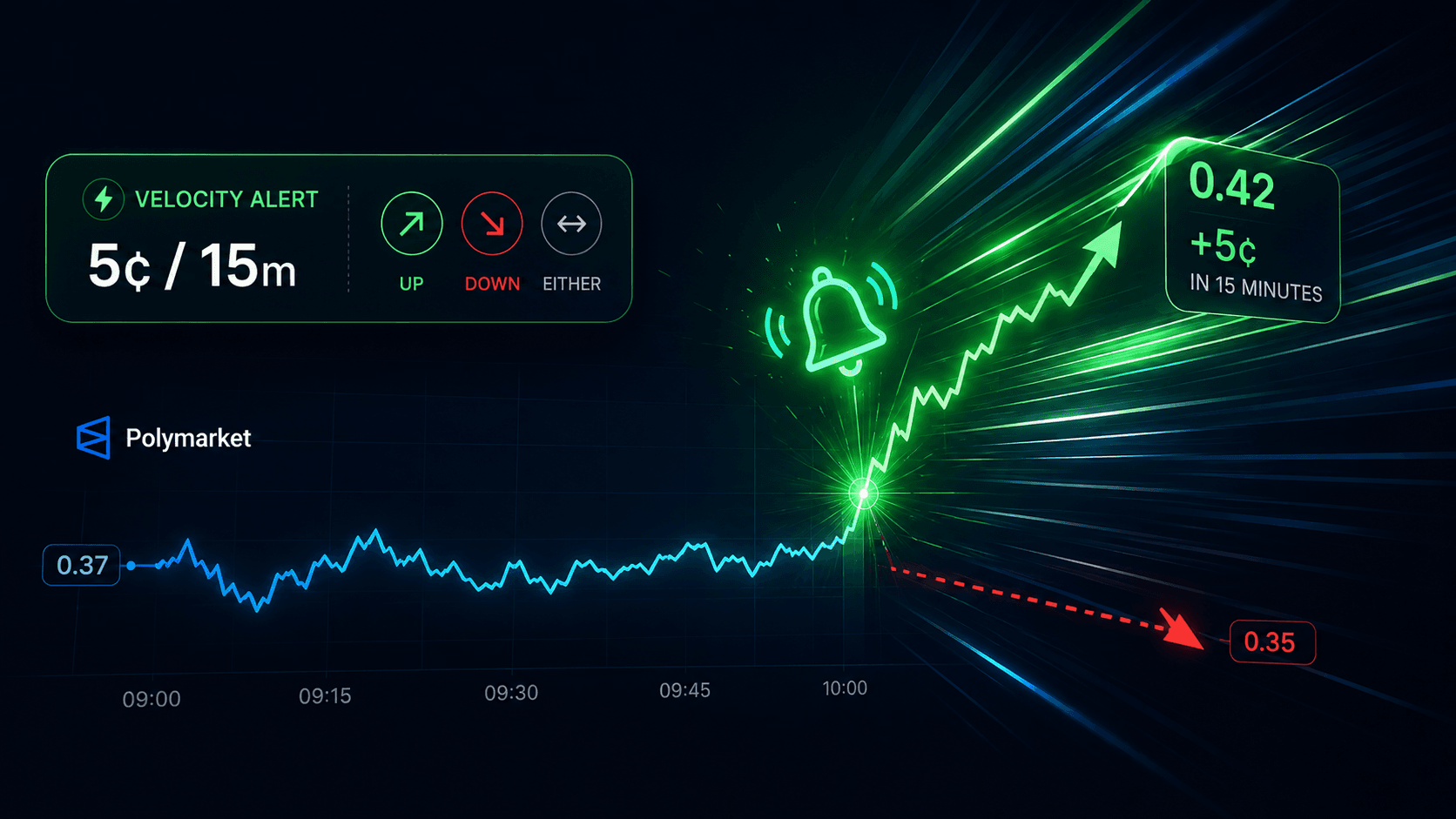
Example: alert when the price moves 5¢ within 15 minutes.
This is a velocity alert. It fires not when a level is hit, but when the rate of change exceeds your threshold. It does not care where the price is in absolute terms. It cares how fast it is moving.
The practical difference is large. A price alert on a quiet market may never fire. A price movement alert on the same market fires the moment something interesting happens, regardless of whether the resulting price is one you expected.
Most serious traders run both. Price alerts handle the plan ("I will buy at 40¢"). Price movement alerts handle the surprise ("something just happened, look now").
How Price Movement Alerts Work
A price movement alert is defined by three core parameters: a percentage, a time window, and a direction. The alert fires when the market price moves by at least the configured percentage within the configured time window, in the configured direction.
Time Windows
You can choose from five lookback windows:
- 5 minutes — for catching the fastest, most violent moves. Noisiest setting.
- 15 minutes — a good balance for detecting sharp intraday repricing.
- 1 hour — catches meaningful shifts without firing on every micro-fluctuation.
- 6 hours — for sustained moves that develop over a session.
- 24 hours — for detecting larger structural shifts over a full day.
Shorter windows catch more moves but produce more noise. Longer windows produce fewer, more meaningful signals. Most traders settle on 15-minute and 1-hour windows for active monitoring, with a 24-hour alert for structural shifts they do not want to miss.
Percentage Thresholds
The percentage is the size of the move that triggers the alert, measured in cents (since Polymarket prices run from 0¢ to 100¢, a 5¢ move is a 5-point move). Common thresholds:
- 3¢ — very sensitive; catches almost any meaningful intraday move.
- 5¢ — a solid default for detecting sharp movement.
- 10¢ — a major shift that almost always reflects real information entering the market.
The right threshold depends on the market's normal volatility. A 3¢ move on a sleepy political market is notable. A 3¢ move on a volatile crypto hourly market is noise. Calibrate to the market, not to a universal default.
Direction
You can filter by the direction of the move:
- Up (increase) — fires only when the price rises by the threshold. Useful when you are waiting for confirmation of a breakout or a thesis playing out.
- Down (decrease) — fires only when the price falls. Useful for catching dips, panic selling, or a thesis breaking down.
- Either — fires on a move in either direction. Useful when you want to know about volatility itself, regardless of sign.
Direction is what turns a price movement alert from a general "something happened" into a specific signal aligned with your thesis. If you are long and want to know about risk, set direction to Down. If you are waiting for confirmation before entering, set direction to Up.
Built-in Presets
To make configuration faster, PolyAlertHub ships with presets that cover the most common use cases. Each preset bundles a percentage, a time window, a direction, and a cooldown into a single click.
| Preset | What It Catches | Window | Move | Direction |
|---|
| Sharp Movement | Quick 5¢+ swings | 15m | 5¢ | Either |
| Major Shift | 10¢+ moves within an hour | 1h | 10¢ | Either |
| Rapid Surge | 3¢+ upward moves in 5 minutes | 5m | 3¢ | Up |
| Quick Drop | 3¢+ downward moves in 5 minutes | 5m | 3¢ | Down |
When to use each:
- Sharp Movement is the general-purpose preset. Use it when you want to know about meaningful intraday repricing on markets you follow, without tuning custom thresholds.
- Major Shift is for catching the moves that almost always reflect real information. These fire rarely, but when they do, the market has fundamentally changed and you need to look.
- Rapid Surge is for traders waiting for upward confirmation. If your thesis is "this market should reprice higher," a rapid surge alert tells you the repricing may be starting.
- Quick Drop is the mirror image, for risk management. If you hold a position and want to know the moment the thesis starts breaking down, this is the alert.
You can also build fully custom rules. If none of the presets fit the market you are watching, set your own percentage, window, and direction. Custom rules are where the alert becomes precisely tuned to a specific market's behavior.
Scope: Which Markets the Alert Watches
A price movement alert is not limited to a single market. The scope settings determine which markets the alert monitors, and choosing the right scope is what lets you cover the whole platform without drowning in notifications.
- All Markets — watches every eligible market. Broadest coverage, highest noise. Use only with high thresholds.
- Specific Categories — watches only markets in categories you choose (politics, sports, crypto, etc.). The recommended scope for most traders, since it limits alerts to lanes you understand.
- Exclude Categories — watches everything except categories you want to ignore. Useful when you want broad coverage minus one or two noisy categories.
- My Portfolio — watches only markets you hold positions in. Ideal for risk management on existing trades.
- PolyAlertHub Trading Wallet — watches markets tied to your PolyAlertHub trading wallet. Available without an Advanced plan.
Important note: Price movement alerts do not monitor short-term markets (5m, 15m, 1h, 4h resolution markets) or markets with volume under $50k. This filter exists because ultra-short markets and thin markets produce movement that is noise, not signal. The system only alerts on markets where a price move is likely to mean something.
The right scope for active trading is usually Specific Categories with a meaningful threshold (5¢+ in 15 minutes). This gives you coverage of the lanes you trade without firing on every micro-market on the platform. For pure risk management on existing positions, My Portfolio with a lower threshold is the better choice.
Cooldown: Stopping Notification Spam
Volatility is messy. A market that surges 6¢ in 15 minutes may oscillate around your threshold and trigger the same alert several times in quick succession. The cooldown setting prevents this.
The cooldown is the minimum time that must pass between notifications for the same alert. After the alert fires, it goes quiet for the cooldown period, then re-arms. This ensures you are notified once per meaningful move rather than once per minor fluctuation.
Typical cooldown settings range from 15 minutes to a few hours. Match the cooldown to the time window: a 5-minute window alert pairs well with a 15-minute cooldown, while a 1-hour window alert pairs well with a 60-minute cooldown. The built-in presets already bundle sensible cooldowns, so if you are using a preset you do not need to think about this.
A Real Example: Catching a Breakout
Let's make this concrete. Suppose you follow political markets and a major debate is scheduled for tonight. A candidate's "Yes" share is trading at 42¢. You believe a strong debate performance could move the market, but you do not want to enter before you see evidence the move is starting, and you absolutely do not want to stare at the chart for two hours.
Your configuration:
| Setting | Value |
|---|
| Scope | Specific Category: Politics |
| Preset | Rapid Surge |
| Window | 5 minutes |
| Move | 3¢ |
| Direction | Up |
| Cooldown | 15 minutes |
What happens: During the debate, a key moment shifts the narrative. Within five minutes, the "Yes" share jumps from 42¢ to 46¢. Your alert fires. You pull out your phone, confirm the move is real and the thesis holds, and enter. The market continues to 55¢ over the next hour. You caught the move within minutes of it starting, without watching a single chart.
Without the alert, you would either have been staring at the screen for two hours (and probably entered too early out of boredom) or you would have missed the move entirely and seen the 55¢ price the next morning.
This is the core value of velocity alerts: they let you act on the moment without paying the attention cost of waiting for it.
Combining Price Movement Alerts With Other Signals
A price movement alert on its own is a strong signal that something happened. But "something happened" is not always "I should trade." The highest-conviction moments come when multiple alert types fire on the same market close together.
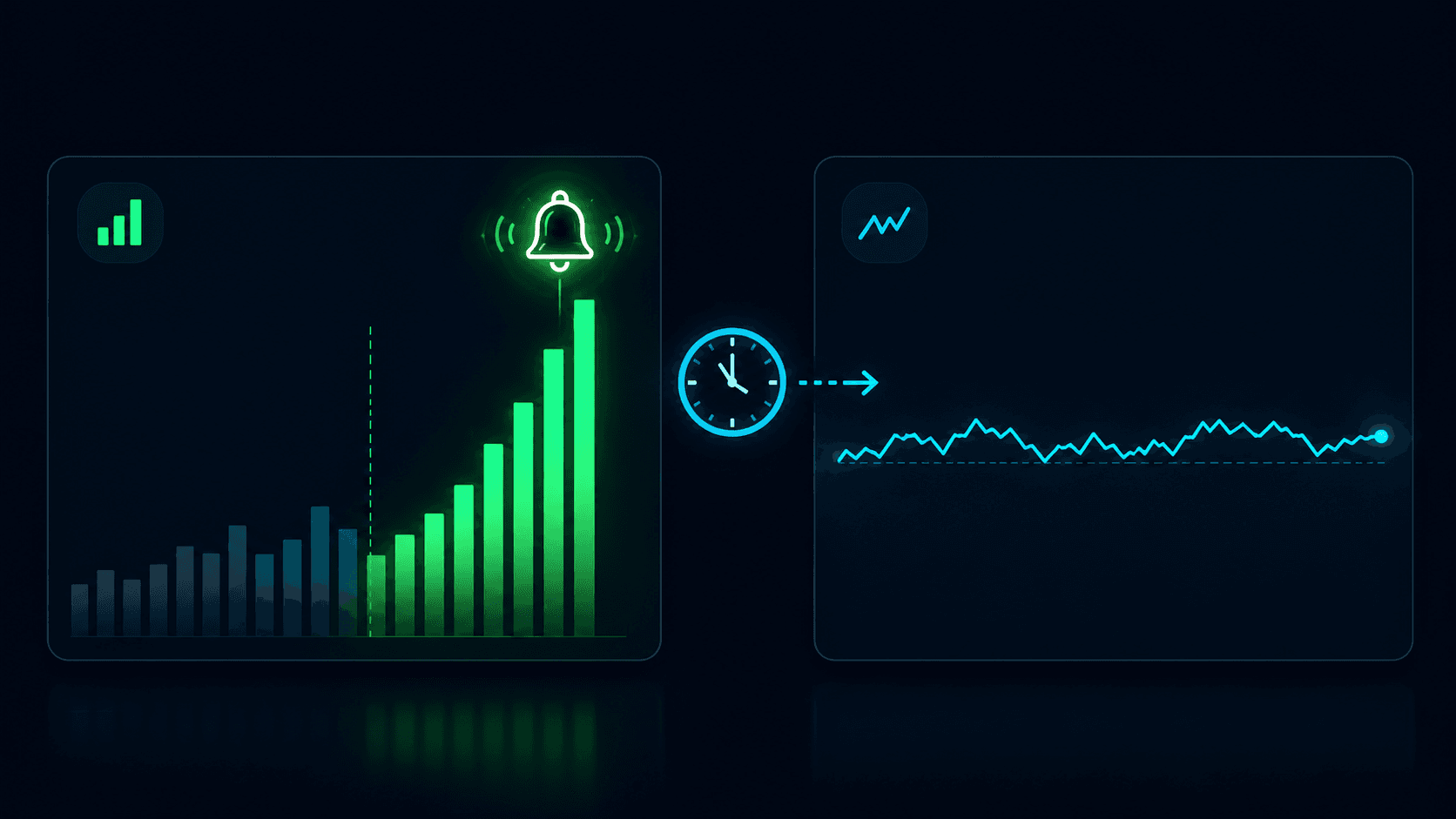
Price movement + volume change: A price move accompanied by a volume spike is far more meaningful than a price move on thin liquidity. A 5¢ move on $5k of volume might be a single trader. A 5¢ move on $200k of volume is the market repositioning. Layer a volume change alert on the same markets and treat a price move with no volume as lower conviction.
Price movement + whale alert: A rapid price move followed by a whale alert tells you who is behind the move. A whale entering after the move starts is chasing. A whale entering before the move started is the cause.
Price movement + smart money alert: The most refined combination. A price move followed by a smart money alert from a high-PolyScore trader entering in their proven range is a high-conviction cluster. See Tracking Smart Money on Polymarket for how that system works.
The general rule: a single alert is a reason to look. A cluster of alerts on the same market is a reason to act. This is the same principle we describe in Why Professional Traders Use Alerts.
Common Mistakes With Price Movement Alerts
Setting the threshold too low. A 1¢ move in 5 minutes fires on almost every active market and trains you to ignore your alerts. If your alerts feel like spam, your thresholds are too sensitive. Raise them until each notification feels worth opening.
Using "All Markets" with a low threshold. This is the fastest way to destroy a notification feed. Broad scope requires a high threshold. If you want to watch everything, set the move to 10¢+ in an hour, not 3¢ in 5 minutes.
Ignoring direction. If you only care about upward breakouts, do not set direction to "Either." You will get notified on every dip too, and you will start swiping the alerts away. Direction is how you keep the signal aligned with your thesis.
Forgetting cooldown. Without a cooldown, a volatile market will fire the same alert repeatedly as it oscillates around your threshold. Always set a cooldown, and match it to your time window.
Treating every alert as a trade signal. A price movement alert is a prompt to look, not an instruction to buy. Some moves are noise. Some are fakeouts on thin liquidity. Confirm the move is real, check for corroborating alerts, and verify your thesis before acting.
Conclusion
Price movement alerts are how you catch the moments that matter on Polymarket without paying the attention cost of watching. They fire on velocity, not levels, which means they catch breakouts, reversals, and information events the moment they start, regardless of whether the resulting price is one you expected.
The system is flexible enough to cover the entire platform or a single category, sensitive enough to catch a 3¢ move in 5 minutes or structural enough to catch a 10¢ shift over an hour. Paired with the right scope, direction, and cooldown, it becomes a clean signal source that fires only when something is actually happening. Layered with volume and whale alerts, it becomes the core of a monitoring system that no human could replicate by watching.
Stop watching for moves. Start getting notified when they happen.
Resources:
Frequently Asked Questions
What is a Polymarket price movement alert?
A price movement alert is a velocity-based notification that fires when a market's price moves by at least a configured amount within a configured time window. For example, "alert me when the price moves 5¢ within 15 minutes." Unlike a standard price alert, which fires when a market crosses a specific level, a price movement alert fires on the rate of change, regardless of the absolute price.
How is a price movement alert different from a price alert?
A price alert fires when a market reaches a specific price you set (e.g., "Yes" drops below 40¢). A price movement alert fires when a market moves by a certain amount within a time window (e.g., 5¢ in 15 minutes), regardless of where the price is in absolute terms. Price alerts are about levels; price movement alerts are about velocity. Most serious traders use both.
What time windows and percentages can I set?
You can choose from five time windows: 5 minutes, 15 minutes, 1 hour, 6 hours, and 24 hours. The percentage threshold is set in cents, commonly 3¢, 5¢, or 10¢. Built-in presets bundle sensible combinations, or you can build fully custom rules. Shorter windows and lower thresholds catch more moves but produce more noise.
Does the price movement alert monitor every market?
No. To keep signals meaningful, the alert does not monitor short-term markets (5m, 15m, 1h, 4h resolution) or markets with volume under $50k. Moves in those markets are typically noise rather than signal. You can control which remaining markets are watched via the scope settings: All Markets, Specific Categories, Exclude Categories, My Portfolio, or your PolyAlertHub trading wallet.
What is the cooldown on a price movement alert?
The cooldown is the minimum time between notifications for the same alert. After the alert fires, it goes quiet for the cooldown period, then re-arms. This prevents notification spam when a market oscillates around your threshold. Match the cooldown to your time window: a 5-minute window pairs well with a 15-minute cooldown; a 1-hour window pairs well with a 60-minute cooldown.
Should I combine price movement alerts with other alert types?
Yes. A price movement alert tells you something moved fast, but a move on thin volume or with no attributable trader is weaker than a move accompanied by a volume spike and a whale alert. The highest-conviction moments come when multiple alert types fire on the same market close together. See Why Professional Traders Use Alerts for the full alert stack.
Disclaimer: The content provided in this article and via the PolyAlertHub tools is for informational purposes only. It does not constitute financial, investment, or trading advice. Prediction markets carry high risk, and you should never wager more than you can afford to lose. Past performance does not guarantee future results.